how to Download Facebook Messenger Chat (New Method 2020)
It's really straight forward.
Step 1: Go to this link for facebook or alternatively
Login > Settings > Your facebook information > view (Download your information)
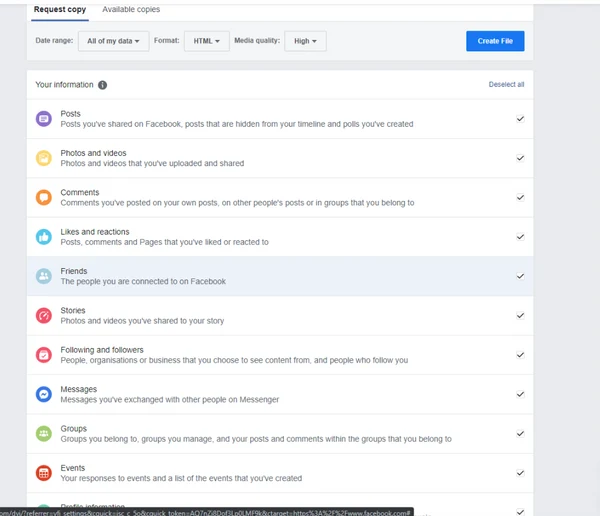
Step 2: Deselect all Tick Boxes except Messages
Step 3: Hit create File
Last step: Once the chats have been prepared by Facebook, You will receive a notification from them. Tap on that and then click download. A copy of your chat will be saved on your device